
Renewal Management
To ensure uninterrupted service, the platform supports users in managing service renewals through manual and automatic renewal methods, guaranteeing continuous business operations.
Feature Overview
Manual Renewal List: Displays services for which the user has not enabled automatic renewal. Users can choose to renew these services as needed.
Automatic Renewal List: Displays services for which automatic renewal is enabled. The system will automatically deduct payment and renew the service before its expiration.

Renewal Method Setup Process
Select a service, then click the "Set to Auto-Renew" or "Set to Manual Renewal" button to open the confirmation dialog.
Click the "Confirm" button to complete the setup.
Service Renewal
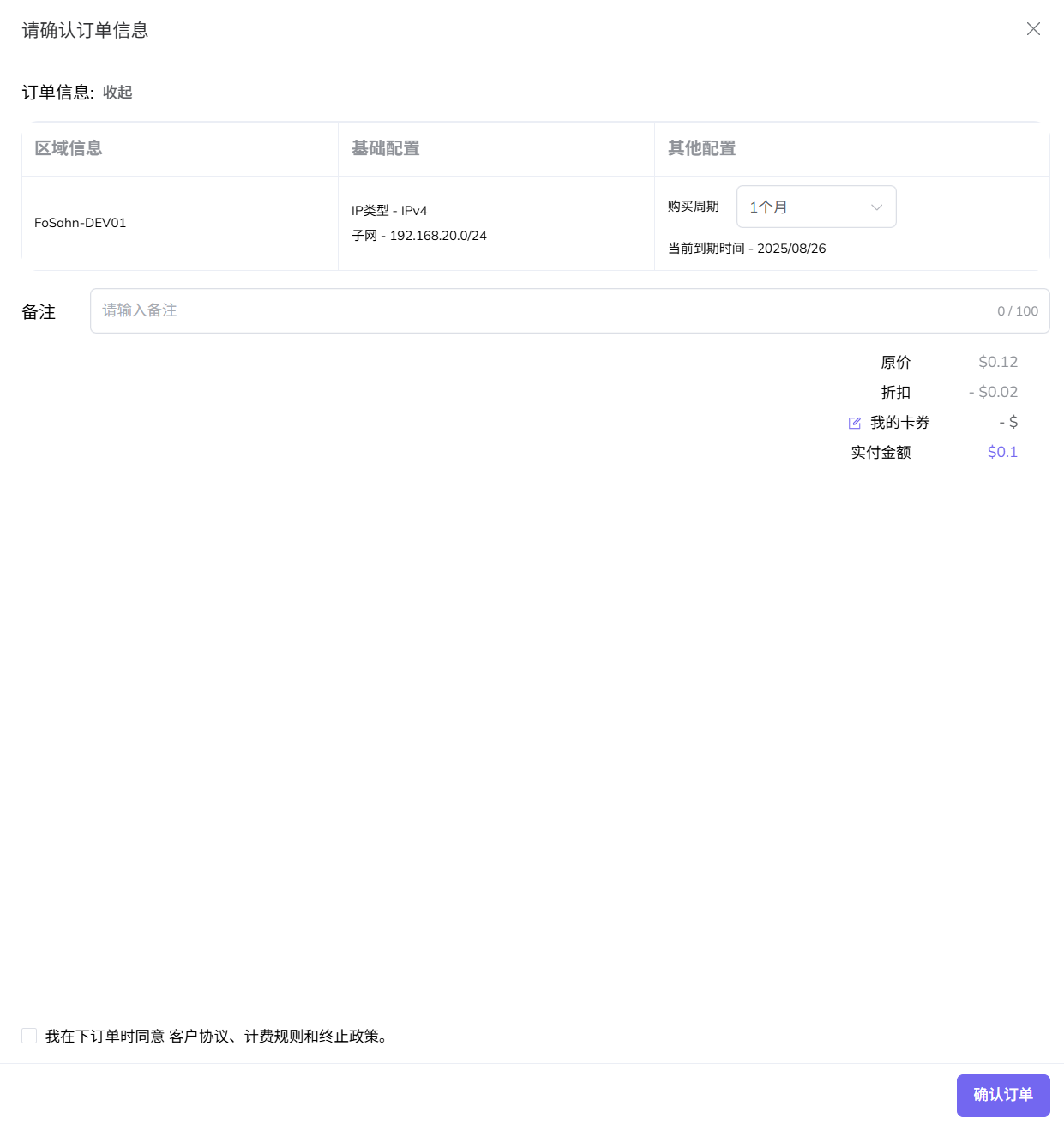
Click "Renew" to open the renewal confirmation pop-up window.
Select the purchase duration.
Check the customer agreement.
Click the "Confirm" button. The system will deduct the amount from your balance to complete the renewal.
Important Notes
Ensure your account balance is sufficient to support automatic renewal. If automatic renewal fails, your service may be restricted or suspended.
Manual and automatic renewal cannot be enabled for the same service simultaneously.
After disabling automatic renewal, you must manually renew the service before its expiration to avoid service interruption.
Renewal terms and prices are subject to the current product policies and information displayed on the renewal page.
注意
确保您的账户余额足以支持自动续订。如果自动续订失败,您的服务可能会受到限制或暂停。
不能同时为同一服务启用手动续费和自动续费。
关闭自动续费后,您必须在到期前手动续费,以免服务中断。
续订期限和价格受当前产品政策和续订页面上显示的信息的约束。
Last updated